 Pimosa
Rotate or flip a video
Fix a sideways phone clip or mirror a selfie video. Combine flip and rotation, and run a whole folder at once.

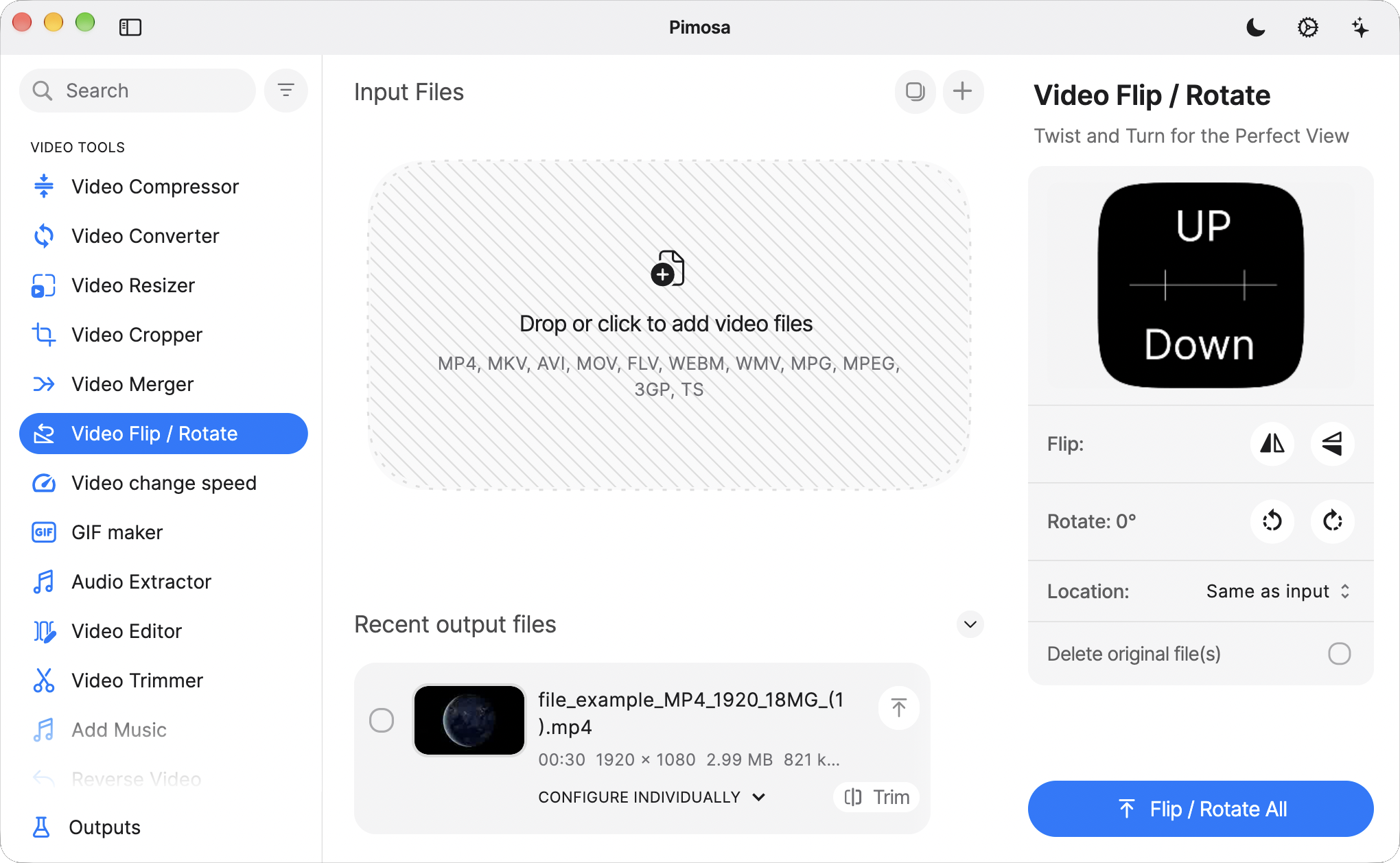
How it works
Drop your videos
Drag files or a folder onto the tool, or click to pick them.
Choose flip and angle
Flip horizontally, vertically or both, and rotate 90, 180 or 270 degrees.
Press Apply
The new file appears next to the original, or in your default output folder.
Or just say:Rotate every video in this folder 90 degrees clockwise
Specs
- Opens
- MP4MKVAVIMOVFLVWebMWMVMPGMPEG3GPTS
- Saves as
- Same format as input (re-encoded)
- Settings
- Flip, rotation, optional trim
- Batch
- Many files in one queue; change settings per file
- Limits
- 90-degree steps only, no free angle
- Originals
- Untouched; a new file is saved next to it (deleting the original is opt-in)
Settings explained
- Setting
- Flip horizontal, vertical, or both
- Rotation
- 0, 90, 180, 270 degrees
- Setting
- Optional trim
- Setting
- Output folder, delete original
Good to know
- 90-degree steps only, no free angle
Pimosa vs online tools
Your file stays on this computer. Nothing is uploaded to process it.
Upload needed?
Pimosa: No. Media processing stays on your computer.
Typical online tool: Yes. You send the file to a server.
Size caps?
Pimosa: No website upload cap. You’re limited by your own disk.
Typical online tool: Hosts often cap uploads.
Works offline?
Pimosa: Yes.
Typical online tool: No. You need a connection to upload.
Questions
Can I rotate by 45 degrees?
No. Rotation is in 90-degree steps.
Can I flip and rotate at once?
Yes, they can be combined.
Can I mirror a video?
Yes, flip horizontally.
What format is the output?
The same format as the input. Flip and rotate re-encode the video.
Related tools
Video Cropper
Drag a crop box over your video, lock it to 9:16 for Reels and TikTok or any other ratio, and trim the length at the same time.
Video Resizer
Set exact pixels or pick an aspect ratio, and choose how empty space is filled: a blurred copy of the frame or a solid color.
Video Converter
Change a video’s container and codec in one step. Pimosa only offers codec and format pairs that actually work, so you can’t export a broken file.


