 Pimosa
ezgif alternative for Mac and Windows
Last checked: 2 Nov 2026. Prices can vary by region. Prices and features change. Tell us if something is out of date.
In short
- Stay with ezgif if a free, ad-supported browser GIF tool is enough.
- Pimosa suits people who want GIF maker, compressor and reverse GIF on Mac and Windows without uploading.
- The key difference: ezgif runs in the browser. Pimosa runs on your computer, with no host upload cap.
ezgif and Pimosa
Competitor facts link to the vendor page we checked. Pimosa facts are from the app.
Price model
ezgif
Free web tool, ad-supported.
ezgif.comLast checked: 2 Nov 2026
Pimosa: Pay once: Personal $17.40 (was $29, 1 device); Plus $29.40 (was $49, 3 devices); Team $99, 5 seats. Lifetime updates. No subscription.
Platforms
ezgif
Website (ezgif.com). No native desktop or mobile app listed on the homepage.
ezgif.comLast checked: 2 Nov 2026
Pimosa: macOS and Windows.
Works offline / uploads files
ezgif
Browser tools. Some converters offer local processing in the browser (WebAssembly) with no file size limit. Other tools still upload to ezgif servers; the homepage does not state a single server-side upload cap.
ezgif.comLast checked: 2 Nov 2026
Pimosa: Yes. Processing runs on your computer. The app does not upload your media to Pimosa to convert it.
Batch
ezgif
Many converters support batch mode in the browser: upload multiple files at once and process them client-side.
ezgif.comLast checked: 2 Nov 2026
Pimosa: Yes. Drop many files, set options once or per file, and run them through one queue.
Formats
ezgif
GIF, APNG, WebP, MNG, JXL and AVIF animations. Video-to-GIF/WebP/APNG/AVIF/JXL, GIF optimizer, and other GIF editing tools.
ezgif.comLast checked: 2 Nov 2026
Pimosa: GIF maker turns a video (or a trimmed range) into a GIF, with FPS and resolution. GIF compressor and reverse GIF are separate tools in the same app.
AI/agent
ezgif
No AI or agent claims on the homepage.
ezgif.comLast checked: 2 Nov 2026
Pimosa: Optional agent: connect OpenRouter, Ollama, LM Studio, or a custom OpenAI-compatible API. The agent cannot run the visual editors or transcription.
Free tier/trial
ezgif
Free, ad-supported.
ezgif.comLast checked: 2 Nov 2026
Pimosa: Pay once. 7-day money-back guarantee. No subscription.
Where ezgif is better
- ezgif is free and ad-supported. You do not buy a license.
- It runs in the browser, so there is no desktop app to install.
- It is a GIF-focused web tool. Pimosa's GIF maker is one tool among many, with a limited color format and no separate quality slider on that screen.
Where Pimosa is better
- GIFs are made on your computer. Nothing is uploaded to Pimosa to convert it.
- There is no website upload cap. You are limited by your own disk.
- GIF maker, GIF compressor and reverse GIF sit in the same app, and you can batch a folder through one queue.
- An optional agent can run GIF maker, compressor and reverse GIF. You bring your own model.
Make a GIF in Pimosa

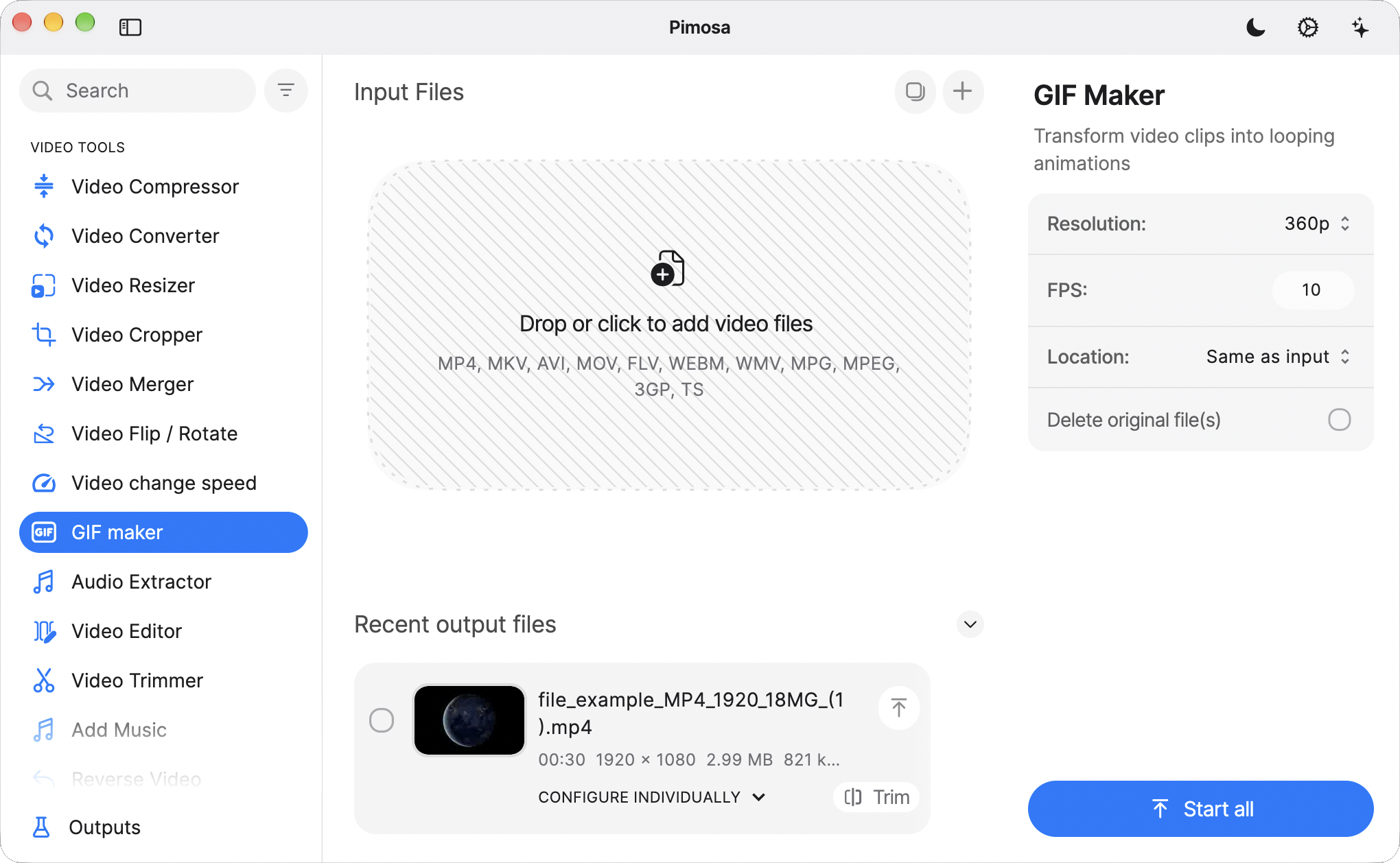
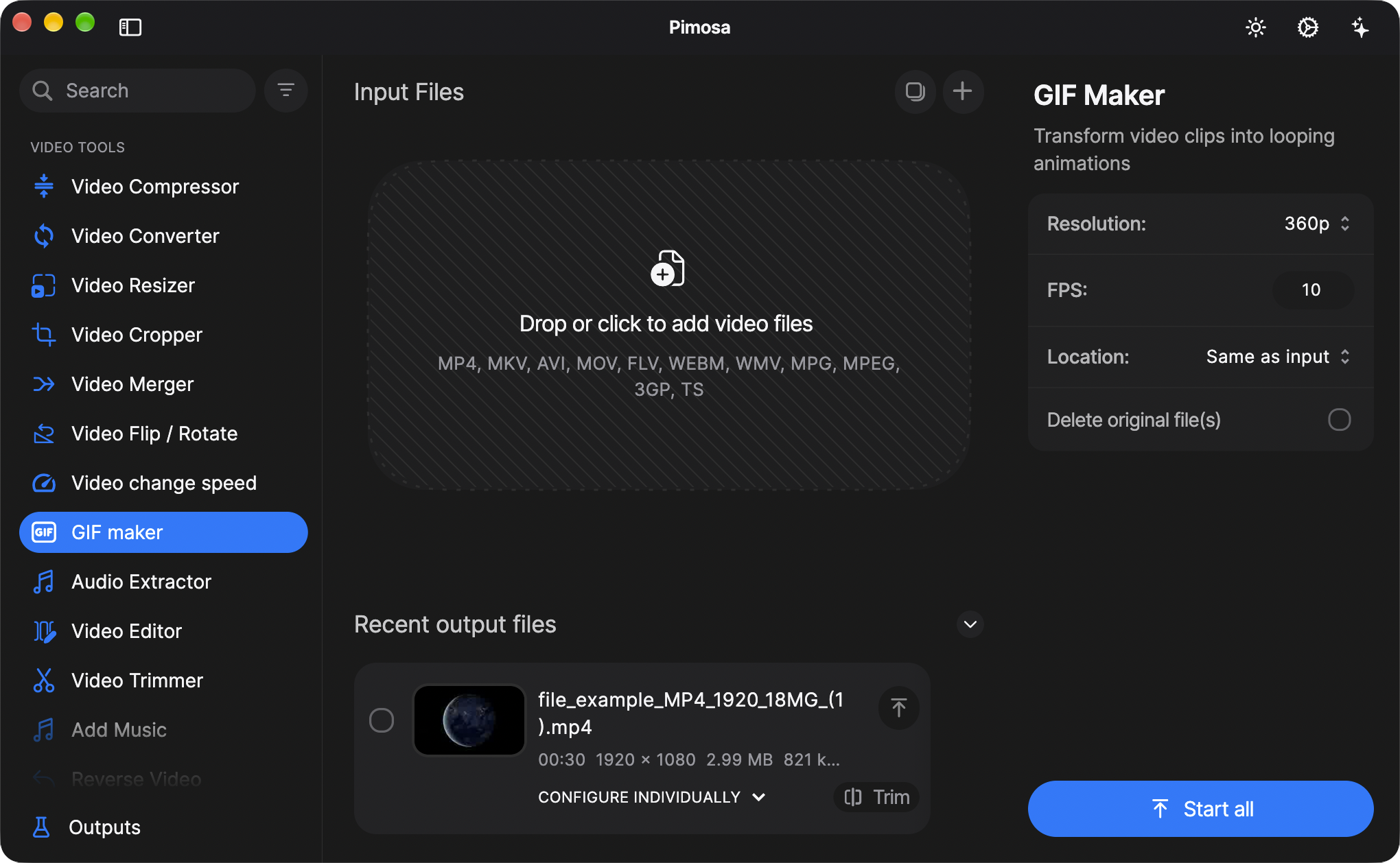
Drop your videos
Drag files or a folder onto GIF Maker, or click to pick them.
Set FPS and size
Trim to the moment, keep the default 10 fps or change it, and pick a resolution.
Press Make GIF
The new file appears next to the original, or in your default output folder.
Questions
Is ezgif free?
Yes. It is a free, ad-supported web tool. Last checked 26 Oct 2026 on ezgif.com.
What is ezgif's upload limit?
Local processing mode has no file size limit. The homepage does not state a single server-side upload cap. Last checked 2 Nov 2026 on ezgif.com.
Does Pimosa upload my video to make a GIF?
No. GIF maker runs on your computer.
How do I keep a Pimosa GIF small?
Keep it short, use a modest FPS (the default is 10) and a small resolution. GIF compressor can shrink an existing GIF.


