 Pimosa
Turn videos into GIFs
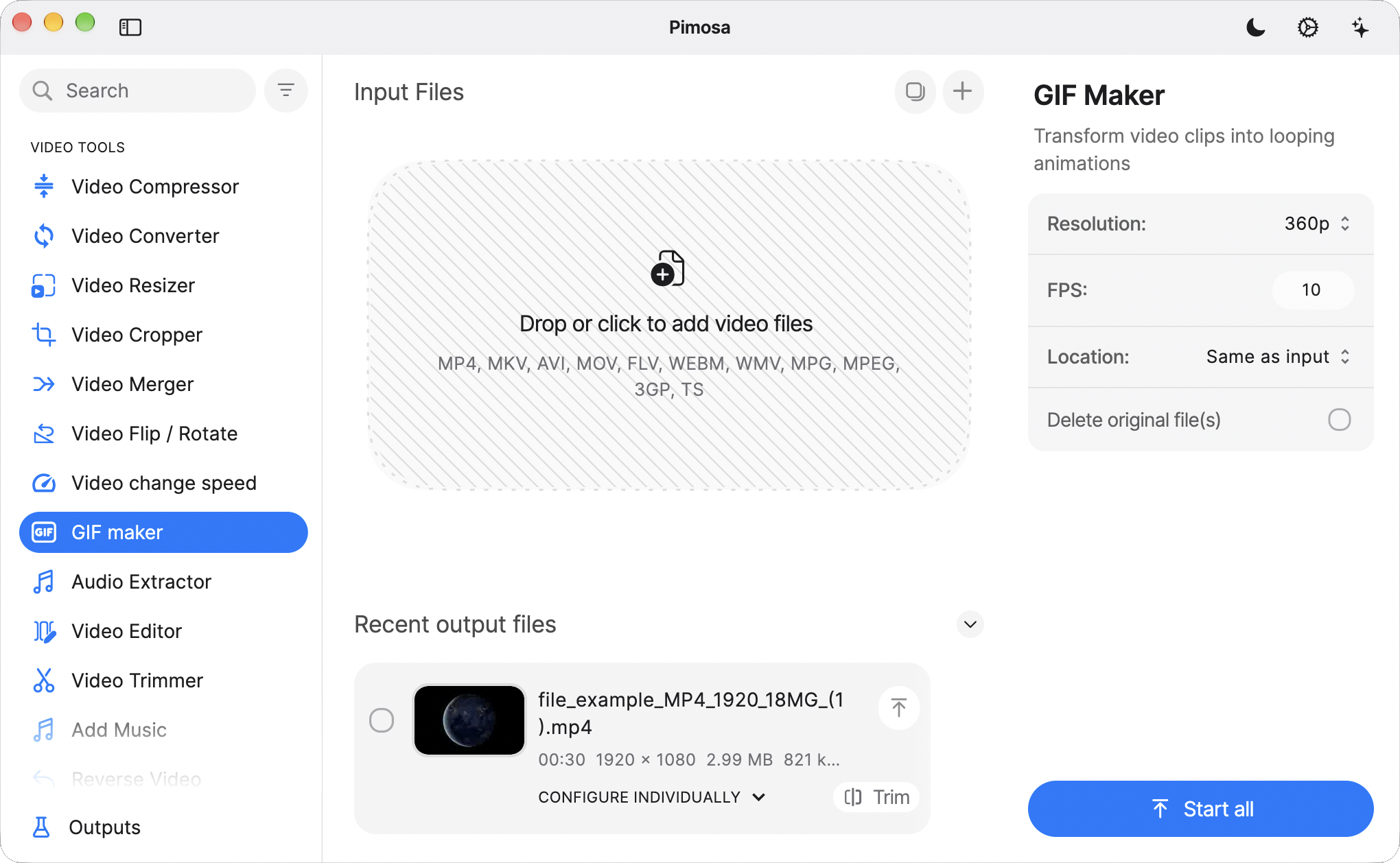
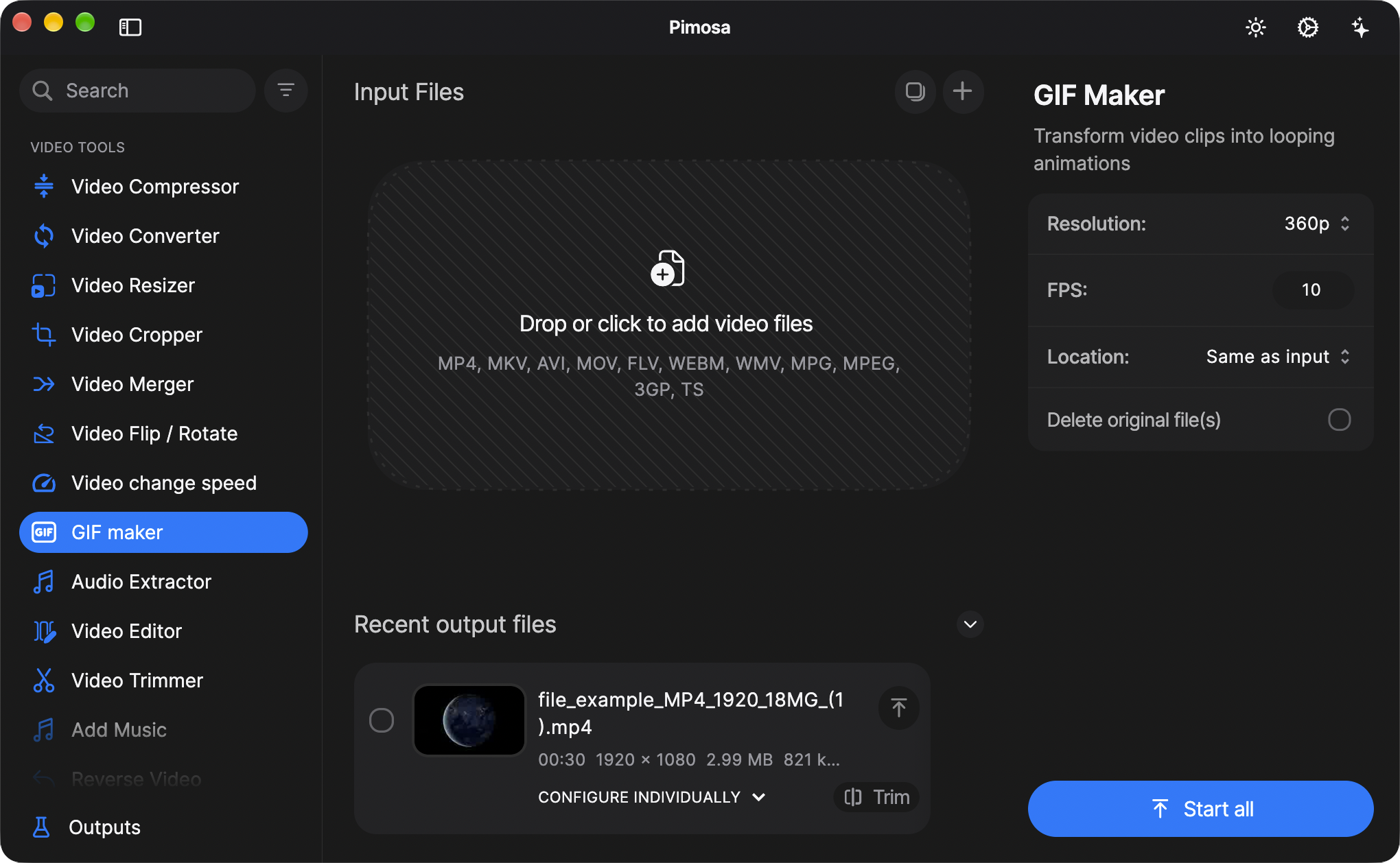
Trim the moment you want, set the frame rate and size, and export a GIF. Short clips, modest FPS and small sizes keep GIFs light.

How it works
Drop your videos
Drag files or a folder onto the tool, or click to pick them.
Set FPS and size
Trim to the moment, keep the default 10 fps or change it, and pick a resolution.
Press Make GIF
The new file appears next to the original, or in your default output folder.
Or just say:Make a GIF from the first 5 seconds of this video at 480p
Specs
- Opens
- MP4MKVAVIMOVFLVWebMWMVMPGMPEG3GPTS
- Saves as
- GIF
- Settings
- FPS, resolution, optional trim
- Batch
- Many files in one queue; change settings per file
- Limits
- GIF has limited colors: photos and gradients band
- Originals
- Untouched; a new file is saved next to it (deleting the original is opt-in)
Settings explained
- Setting
- FPS (default 10)
- Resolution preset
- Same as input or 240p to 4K
- Setting
- Optional trim
- Setting
- Output folder, delete original
Good to know
- GIF has limited colors: photos and gradients band
- No separate GIF quality slider
- Output is GIF only
Pimosa vs online tools
Your file stays on this computer. Nothing is uploaded to process it.
Upload needed?
Pimosa: No. Media processing stays on your computer.
Typical online tool: Yes. You send the file to a server.
Size caps?
Pimosa: No website upload cap. You’re limited by your own disk.
Typical online tool: Hosts often cap uploads.
Works offline?
Pimosa: Yes.
Typical online tool: No. You need a connection to upload.
Questions
How do I keep my GIF small?
Keep it short, use a modest FPS (the default is 10) and a small resolution.
Can I convert a GIF back to video?
Yes, with Video Converter or Video Compressor.
Why does my GIF look banded?
GIF supports a limited color palette; gradients and photos band.
Related tools
Image Compressor
Shrink photos and GIFs for the web, email or storage. Pick a quality percent or a maximum size, and decide whether camera data stays. GIFs are compressed losslessly.
Reverse GIF
Make a rewind or boomerang-style loop: Pimosa reverses the frame order and keeps each frame’s timing.
Video Trimmer
Drag a range on the timeline and export just that part. Your original stays untouched unless you choose otherwise.


