 Pimosa
MCP
How do I use Pimosa from another AI app?
Last updated
MCP lets another AI app call Pimosa’s tools while the Pimosa window is open. The server is a local HTTP endpoint on the same Settings → AI / Agent page. It shows Running or Stopped, the port, and the endpoint URL. You can copy the URL or a Cursor config snippet.
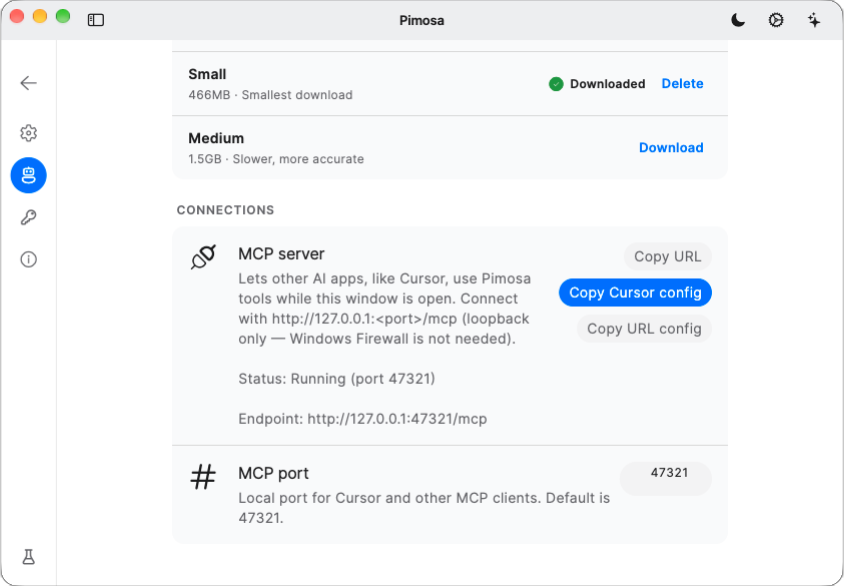
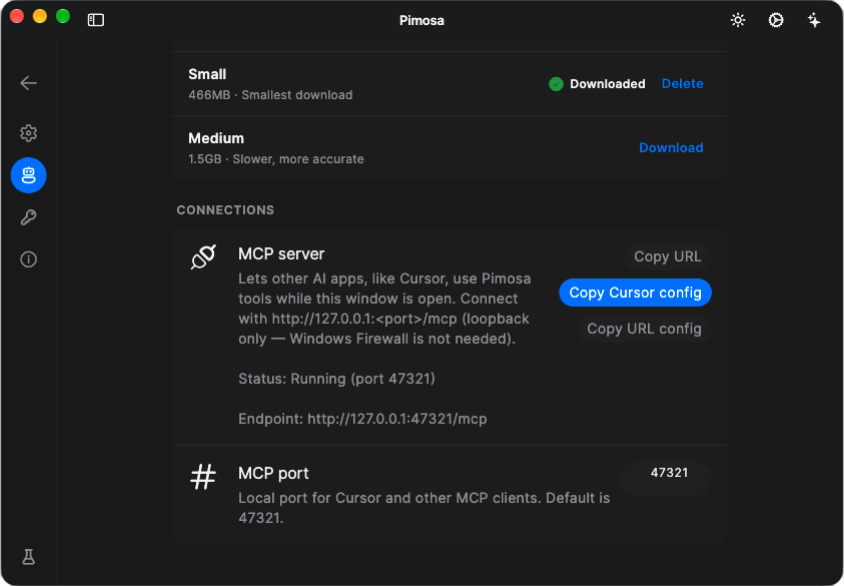
Endpoint address: http://127.0.0.1:47321/mcp
47321 is the default port. If you changed it in Pimosa's settings, use your port instead.
1. Turn on the server
- Open Pimosa → Settings → AI / Agent.
- Turn the MCP server on.
- Copy the address shown there.
It works only while Pimosa is open. It follows the same license rule. Without a license, tools will not run.
2. Add it to a client
Pick the app you use, then follow that guide.
New to MCP? Read the walkthrough: Use Pimosa from Cursor, Claude or Codex.


3. Keep Pimosa open and list tools
Ask the client to “list Pimosa tools”. You should see the batch tools plus helpers. Visual editors are not exposed.
4. What it exposes
It exposes the same batch tools as the in-app agent, plus file probe, folder listing, and metadata helpers. It does not expose the visual editors.
- Video: compress, convert, resize, merge, flip/rotate, change speed, reverse, mute, GIF, extract audio, extract frames, extract subtitles
- Audio: convert, merge, metadata, waveform video
- Image: convert, compress, resize, crop/flip/rotate, reverse GIF
- PDF: compress, merge, split, encrypt, decrypt
- Also: Remove metadata
- Look at a file (probe), check paths, list a folder, find media, read EXIF, inspect finished outputs, list the queue, list current inputs, and move finished files into a folder.
5. Other apps
If an app accepts a server URL, paste the endpoint. If it only launches commands (stdio), use the bridge below. ChatGPT, on the desktop or the web, is not supported. Its connectors are remote HTTPS servers that OpenAI’s servers call, so a server on your computer isn’t reachable.
If it accepts a server URL, paste the address. If it only launches commands, use the bridge below.
ChatGPT, on the desktop or the web, is not supported. Its connectors are remote HTTPS servers that OpenAI's servers call, so a server on your computer isn't reachable.
npx -y mcp-remote http://127.0.0.1:47321/mcp6. If it fails
- Is Pimosa open, with the server showing Running?
- Is the port the same as in the config? It can change.
- Is a license active?
- Did you restart the client after editing its config?
- Does a firewall block localhost?
- Connection refused? Check Pimosa is open, MCP is on, and the port matches.
Was this helpful?