 Pimosa
Add subtitles to a video
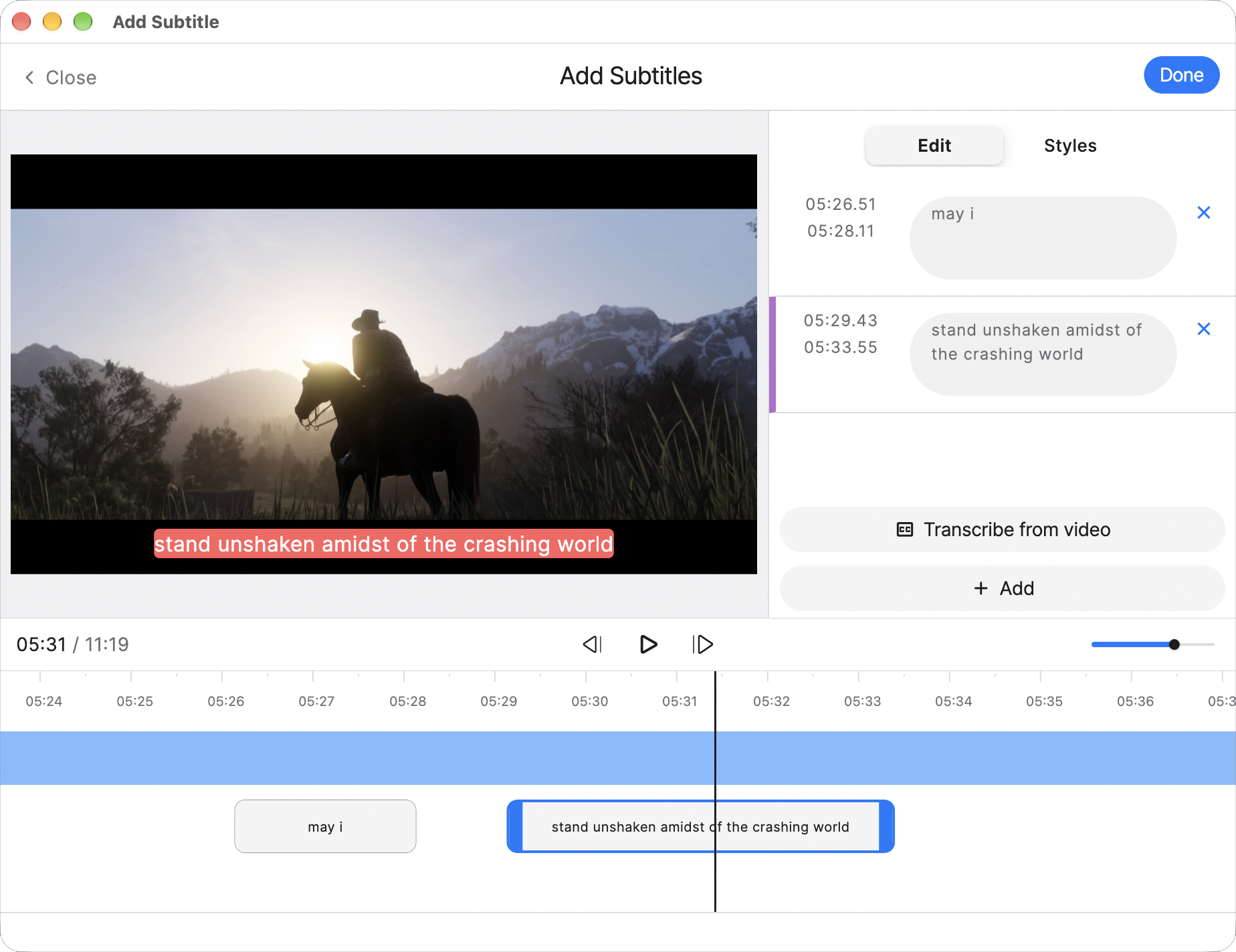
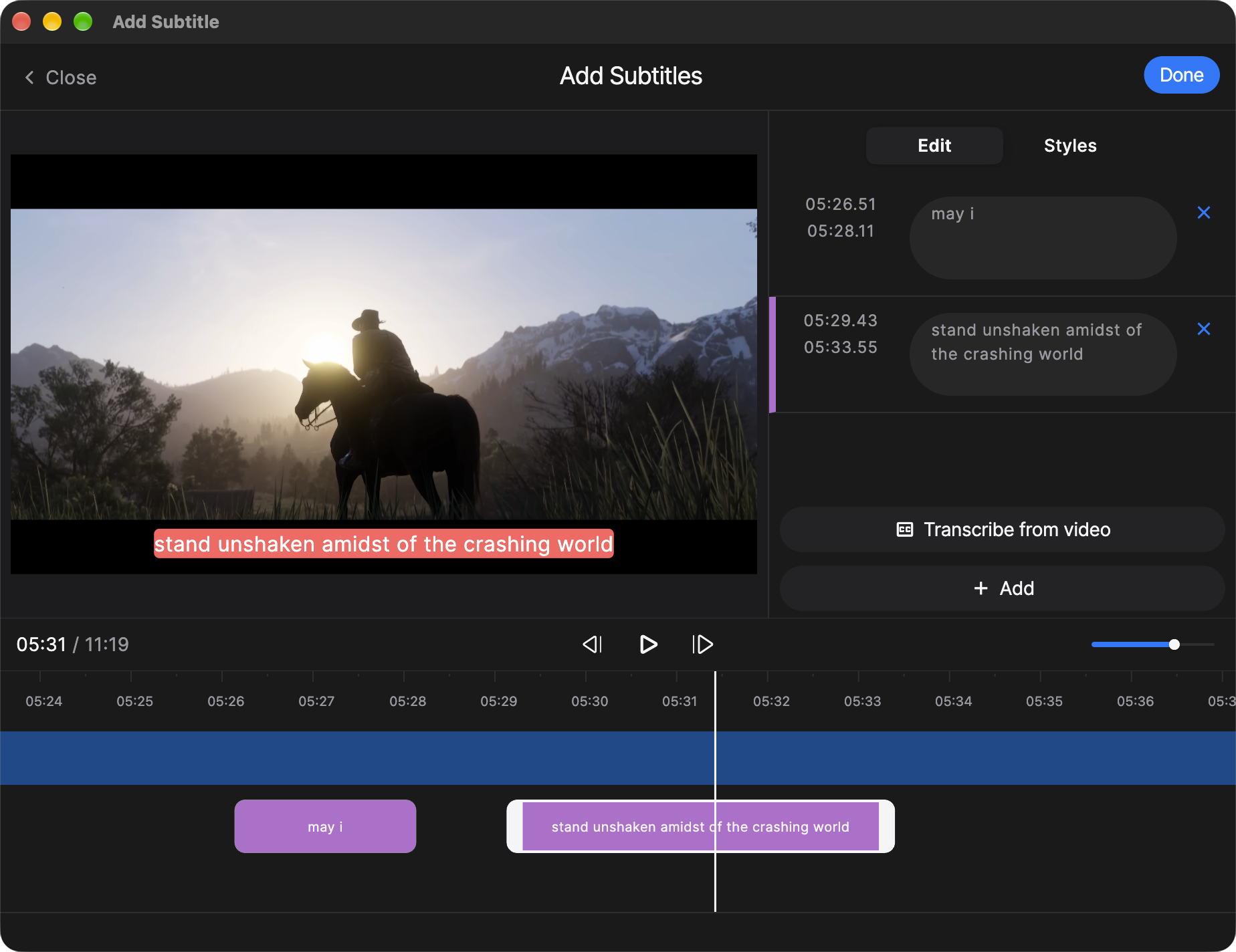
Get captions in from an embedded track, an SRT file, your keyboard or on-device transcription, edit them on a timeline, and export the way you need.

How it works
Drop your videos
Drag files or a folder onto the tool, or click to pick them.
Bring in captions
Import an SRT, use an embedded track, type them, or transcribe. Edit timing and style.
Press Export
The new file appears next to the original, or in your default output folder.
Done by hand in the app (the AI agent can’t run this one).
Specs
- Opens
- MP4MKVAVIMOVFLVWebMWMVMPGMPEG3GPTScaptions: SRT
- Saves as
- Burned-in video.srtor MP4/MKV/MOV with subtitle track
- Settings
- Source, timing, font, colors, position, export mode
- Batch
- One video per project
- Limits
- Burned captions cannot be turned off later
- Originals
- Untouched; a new file is saved next to it (deleting the original is opt-in)
Settings explained
- Sources
- embedded track, .srt file, transcribe, type by hand
- Setting
- Edit cue text and timing on a timeline
- Style
- font size %, font and background color, Roboto/Arial/Times New Roman/Courier New, 9 positions
- Export
- .SRT file, burn into video (default), or soft subtitle track (MP4, MKV, MOV)
Good to know
- Burned captions cannot be turned off later
- Styling does not travel with SRT or soft tracks
- One style for all cues
Pimosa vs online tools
Your file stays on this computer. Nothing is uploaded to process it.
Upload needed?
Pimosa: No. Media processing stays on your computer.
Typical online tool: Yes. You send the file to a server.
Size caps?
Pimosa: No website upload cap. You’re limited by your own disk.
Typical online tool: Hosts often cap uploads.
Works offline?
Pimosa: Yes.
Typical online tool: No. You need a connection to upload.
Questions
Can Pimosa generate subtitles automatically?
On Mac, yes: transcribe straight onto the caption timeline with an on-device model.
What is the difference between burn-in and a subtitle track?
Burned captions are drawn into the picture permanently; a subtitle track can be turned on and off.
Does it translate captions?
No. Transcription writes what was spoken.
Related tools
Transcribe
Download a model once and transcribe on-device. Nothing is sent to a cloud speech service.
Extract Subtitles
If your video already contains subtitles, save them as a separate SRT file in seconds.
Video Cropper
Drag a crop box over your video, lock it to 9:16 for Reels and TikTok or any other ratio, and trim the length at the same time.


