 Pimosa
Remove audio from a video
Strip every audio track from a video in one step.

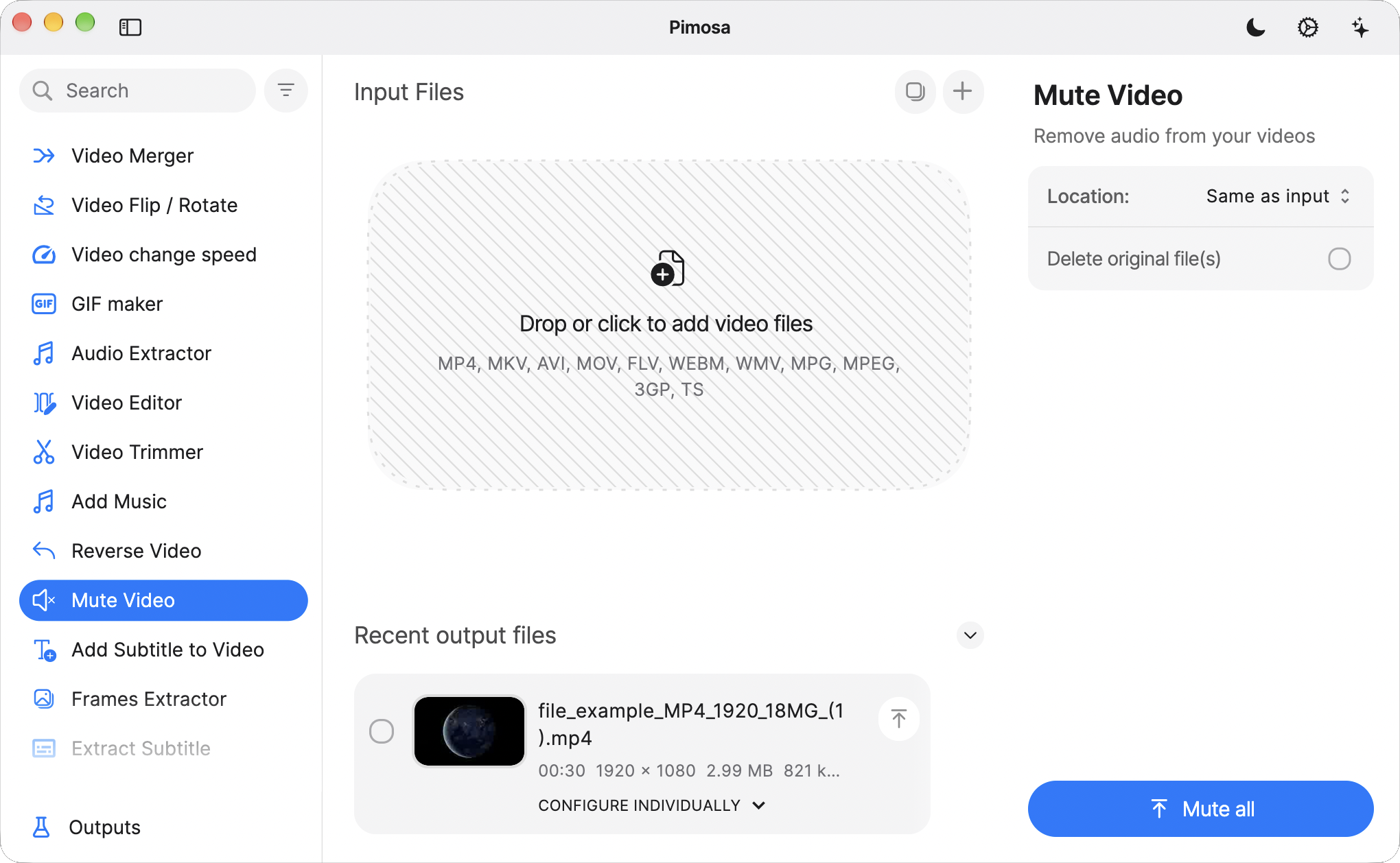
How it works
Drop your videos
Drag files or a folder onto the tool, or click to pick them.
Nothing to set
Every audio track is removed; the picture is kept as it is.
Press Mute
The new file appears next to the original, or in your default output folder.
Or just say:Remove the audio from all videos in this folder
Specs
- Opens
- MP4MKVAVIMOVFLVWebMWMVMPGMPEG3GPTS
- Saves as
- Same format as input (no re-encodeaudio track removed)
- Settings
- None
- Batch
- Many files in one queue; change settings per file
- Limits
- Removes every audio track; to keep one, use the Video Editor or Audio Extractor
- Originals
- Untouched; a new file is saved next to it (deleting the original is opt-in)
Settings explained
- Setting
- Output folder, delete original
Good to know
- Removes every audio track; to keep one, use the Video Editor or Audio Extractor
- No trim on this tool
Pimosa vs online tools
Your file stays on this computer. Nothing is uploaded to process it.
Upload needed?
Pimosa: No. Media processing stays on your computer.
Typical online tool: Yes. You send the file to a server.
Size caps?
Pimosa: No website upload cap. You’re limited by your own disk.
Typical online tool: Hosts often cap uploads.
Works offline?
Pimosa: Yes.
Typical online tool: No. You need a connection to upload.
Questions
Can I mute only one audio track?
No. Mute Video removes all tracks. Use the Video Editor to choose a track.
Can I replace the music?
Use Add Music to lay new audio on a timeline.
Does muting re-encode the video?
No. The output stays the same format as the input, with the audio track removed.
Related tools
Add Music to Video
Place music or voice-over clips on a lane under your video, trim and move them, and balance the volume against the original sound.
Audio Extractor
Save a video’s soundtrack as an audio file. Choose the format and, for multi-language files, the exact track.
Video Editor
For edits the one-click tools can’t do: cut clips into pieces, drop parts, crop, reorder and export one file. No effects library, just fast hard cuts.


